

At a glance: the topology
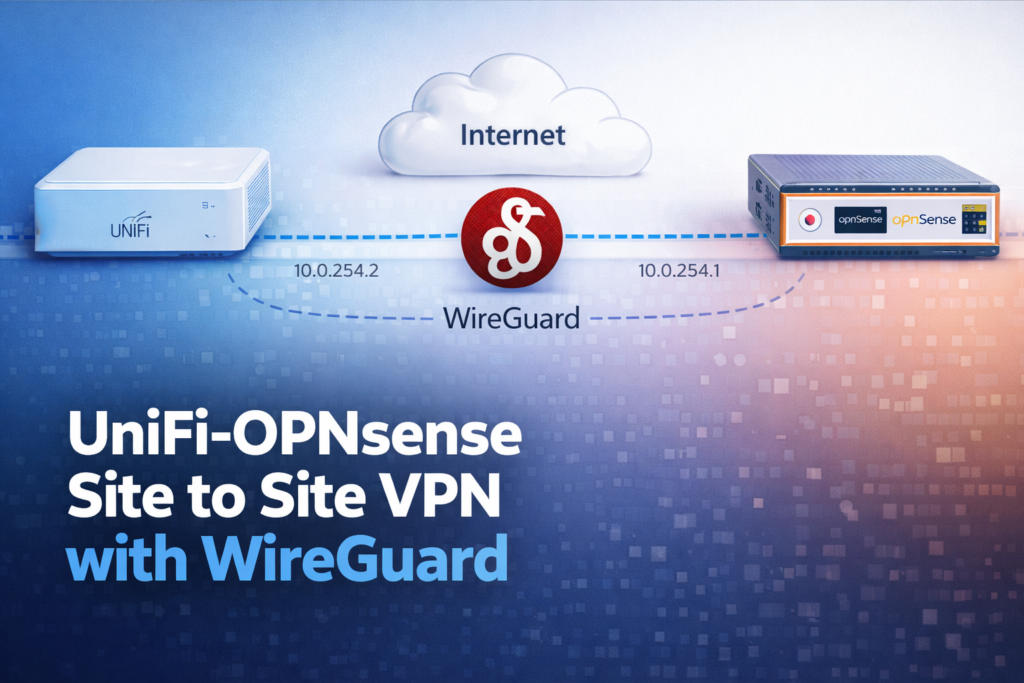
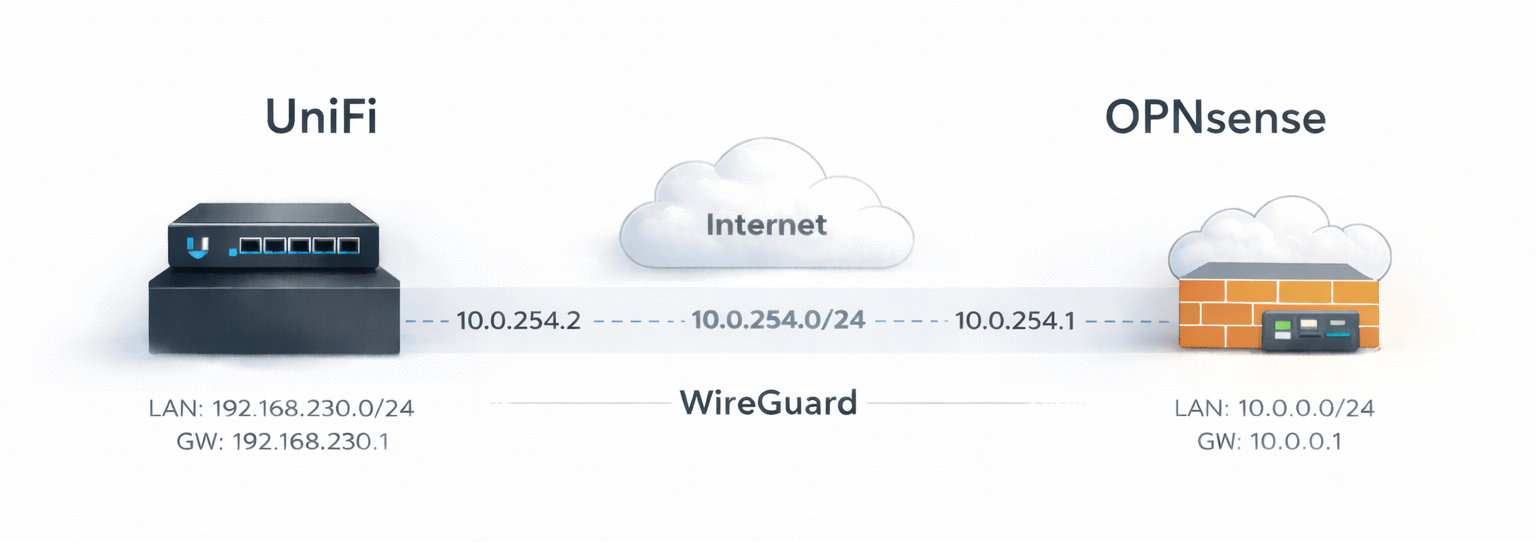
We’re building a simple site-to-site WireGuard tunnel between a UniFi gateway (on-prem) and an OPNsense firewall (cloud).
The main limitation with UniFi is that there’s no native WireGuard site-to-site option in the UI – you’re essentially pushed toward IPsec or OpenVPN.
In practice, VPN throughput on UniFi gateways is CPU-limited. They don’t always have the same level of hardware-accelerated encryption/decryption you get on x86 appliances with Intel AES-NI, and OpenVPN/IPSEC in particular tends to be very CPU-bound.
The result is that IPsec/OpenVPN performance can plateau in the hundreds of Mbps range depending on device and settings. For example, McCann Tech reported roughly ~580 Mbps on the EFG with IPsec in their tests (your mileage will vary with cipher choices, MTU, and offload/settings).
Due to this reason using Wireguard is really intressting, but as you may know you cannot use it as a Site-to-Site VPN, only as a “VPN Client” or “VPN Server”.
Note however, the speeds are way better, on my UCG Ultra as exemple I was able to get from ~70 Mbps with IPSEC to around 500 Mbps with wireguard.
So to make it work I’ll show you a few tricks to make your Site-to-Site VPN using the “VPN Client” of Unifi.
August 2025 Gateway speeds (credit to McCann Tech)

Networks used in this example:
- UniFi site (local LAN):
192.168.230.0/24(gateway192.168.230.1) - OPNsense site (cloud LAN):
10.0.0.0/24(gateway10.0.0.1) - WireGuard tunnel:
10.0.254.0/24- UniFi tunnel IP:
10.0.254.2 - OPNsense tunnel IP:
10.0.254.1
- UniFi tunnel IP:
Small tip: you could also use a /30 but if you want to bind multiple sites a /24 can be useful.
Tooling note
I wrote this post from real configs and lab notes, but I did use ChatGPT as a drafting assistant to turn messy bullet points into something readable and to sanity-check the structure.
What this setup is supposed to achieve
- Devices on the UniFi LAN (
192.168.230.0/24) can reach the cloud LAN (10.0.0.0/24) - And (this is the part people often miss) the cloud side can also initiate traffic back to the UniFi LAN
If you only configure it “half-right”, you usually end up with:
- ✅ UniFi → OPNsense works
- ❌ OPNsense → UniFi doesn’t
The fix is mostly about AllowedIPs + routing (more on that below).
OPNsense: WireGuard (server side)
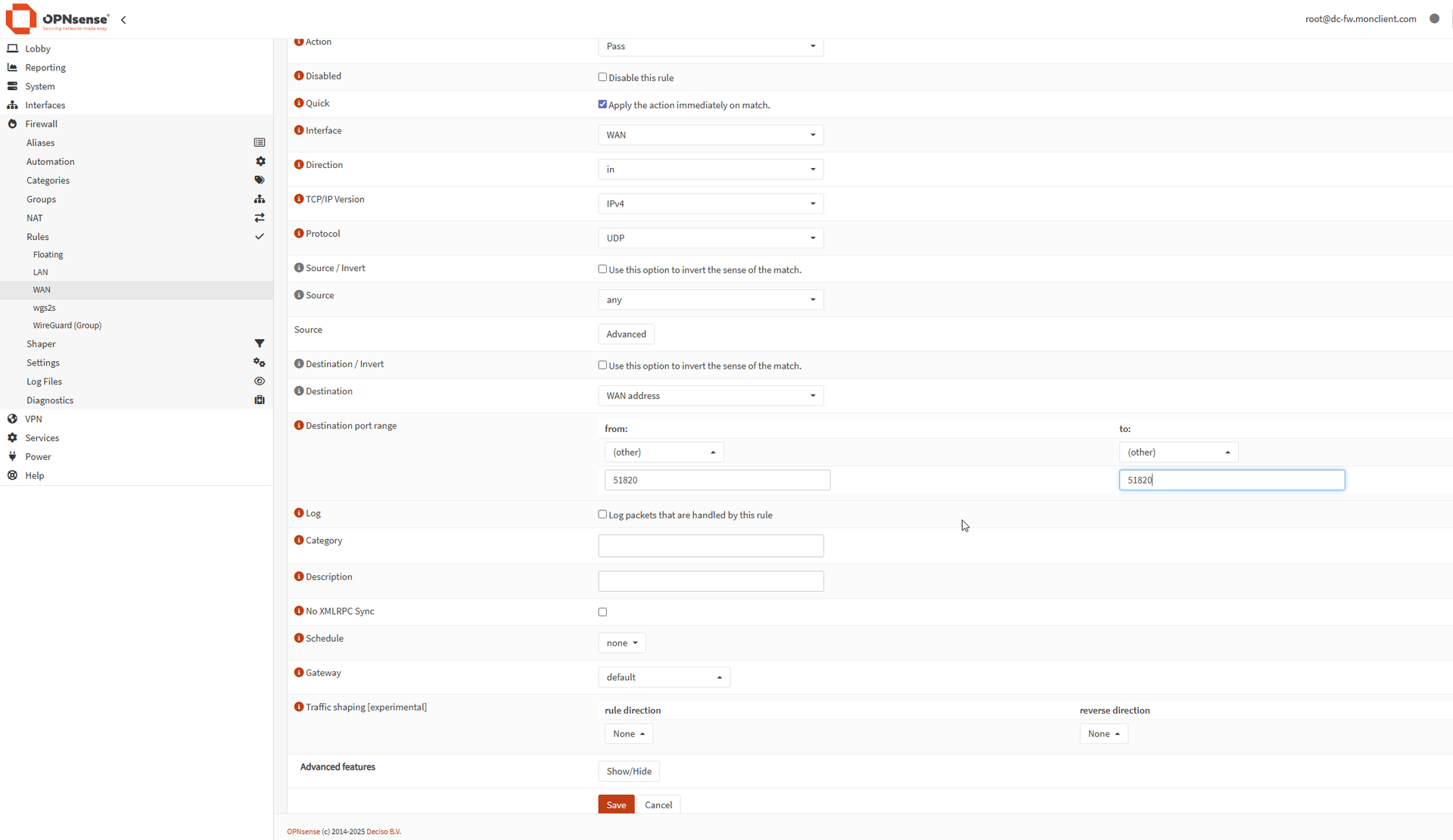
1) Allow WireGuard on WAN
On OPNsense WAN, allow UDP on your WireGuard port (example: 51820) to “This firewall”.
If your on-prem has a static public IP, restrict the rule to that IP.
If you have a backup 5G link that changes IP, you’ll probably need to allow “any” source and rely on WireGuard keys (which is fine).
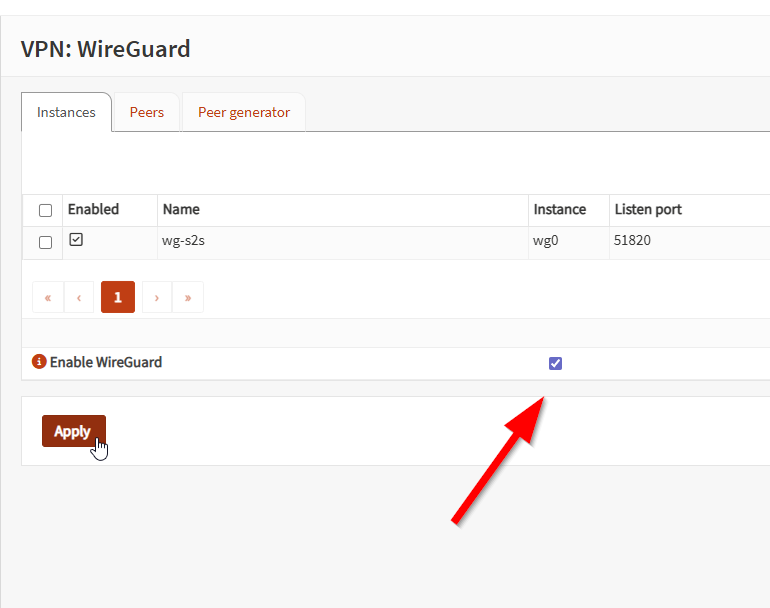
2) Create the WireGuard instance
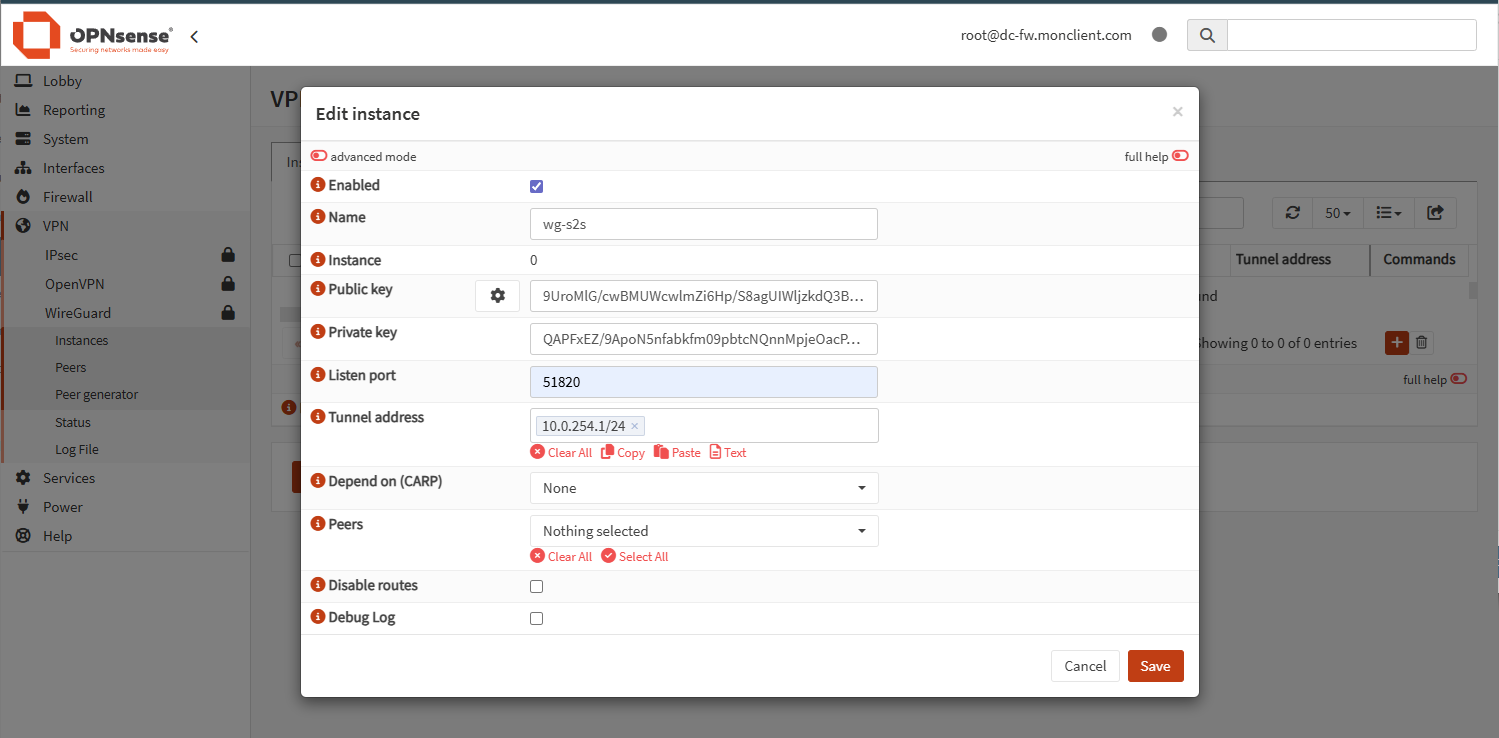
Create a local WireGuard instance, give it the tunnel address (10.0.254.1/24), set the listen port, and enable it.
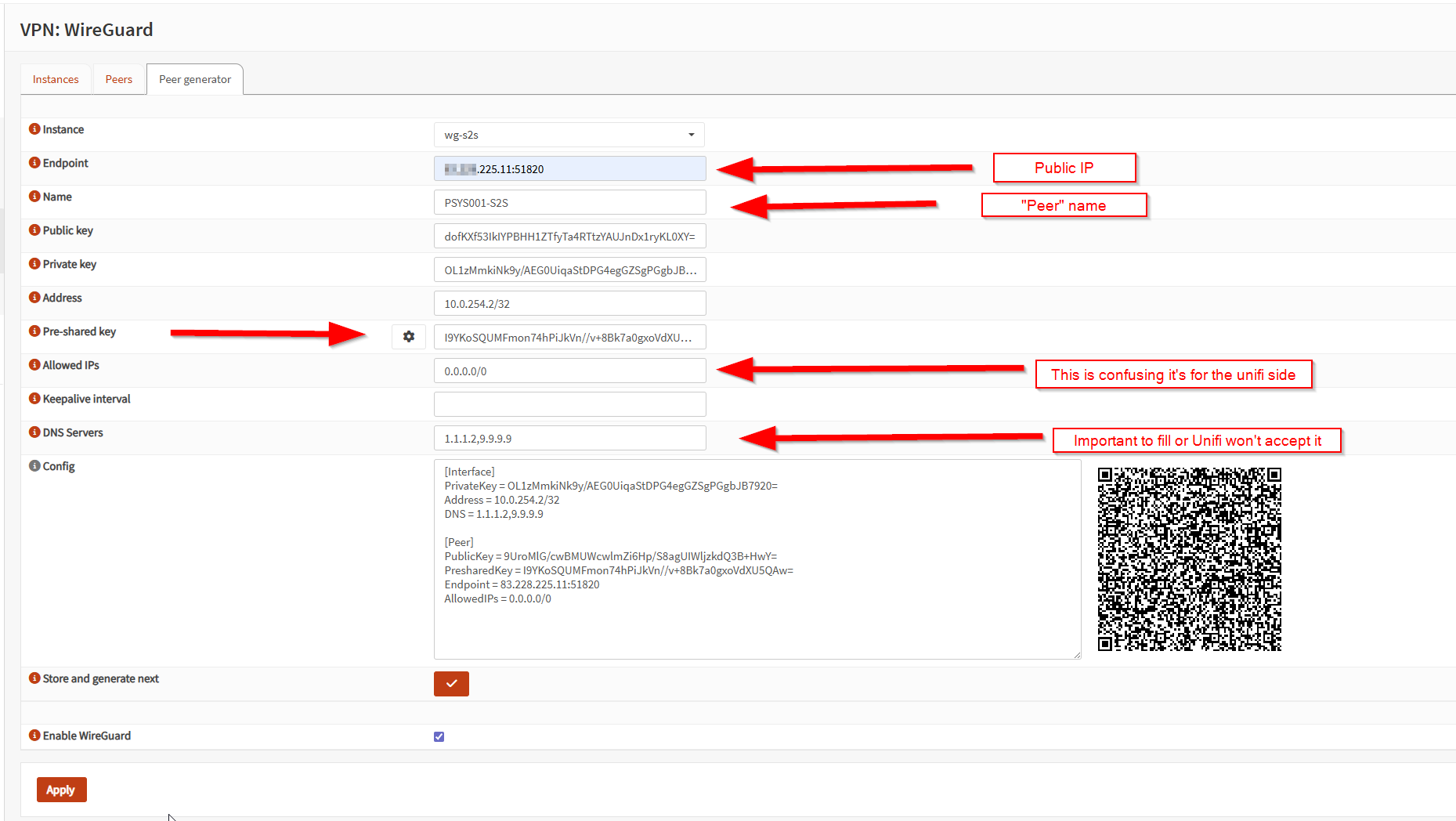
3) Add the UniFi peer (and don’t mess up AllowedIPs)
Create a peer for the UniFi gateway and set as per print screen using the “Peer generator” tab :
Example:
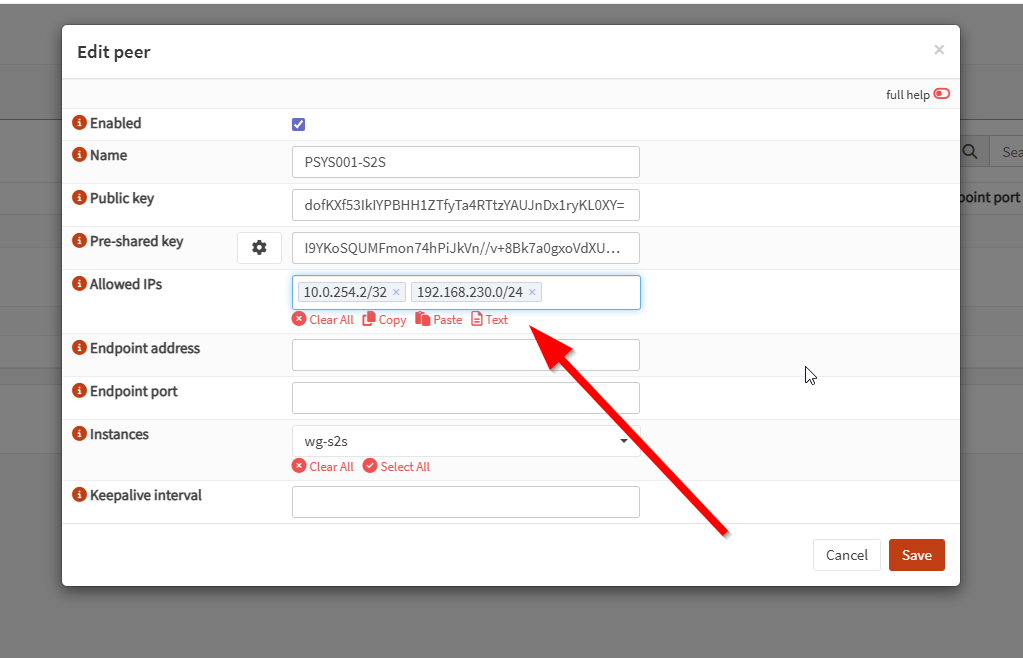
Next go into the “Peers” tab in the same page.
And here edit the peer you just created, and add your “Unifi” local network, for me it’s 192.168.230.0, if you don’t do that the network won’t be able to route from OPNSense to Unifi. This is not bound to the peer “client” config file, it’s bound to the peer “server” config file if that makes it easier to understand.
OPNsense: interface + gateway + static route
4) Assign the WireGuard interface
Assign the WireGuard instance as an interface (e.g., wgs2s) and enable it.
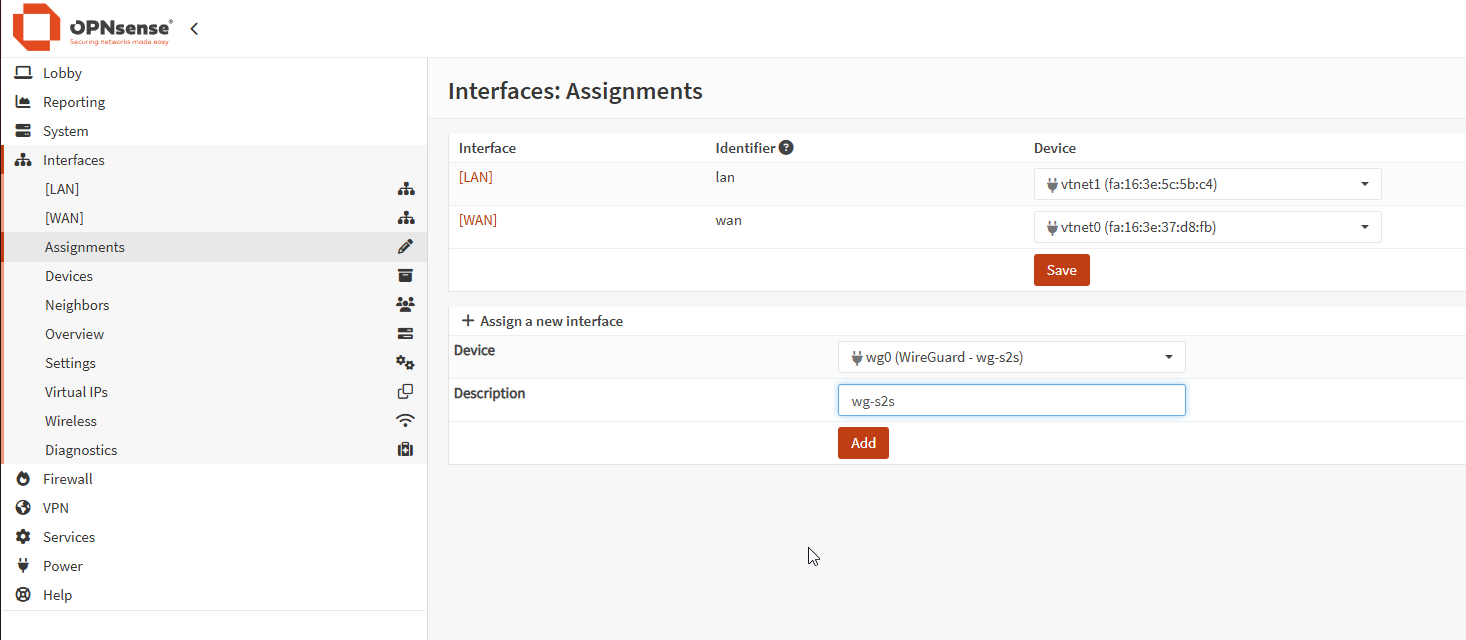
Enable the interface, and prevent the interface removal, and set nothing else

5) Add firewall rules on that interface
On the WireGuard interface rules, allow what you need between:
192.168.230.0/24↔10.0.0.0/24
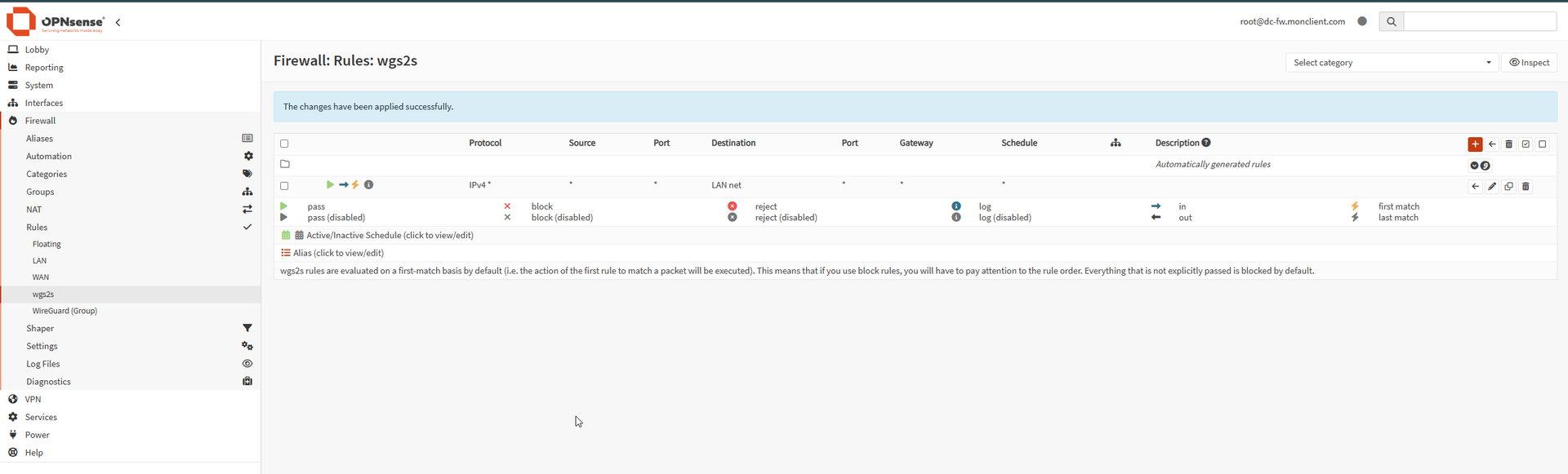
Start broad if you’re troubleshooting, tighten later.
6) Create a gateway to the UniFi tunnel IP
Create a gateway on wgs2s pointing to:
10.0.254.2(UniFi’s tunnel IP)

This allows us to create a static route so that the OPNSense knows where the traffic goes, this is needed since sadly it’s not using VTI S2S and we are using a VPN Client on the Unifi side.
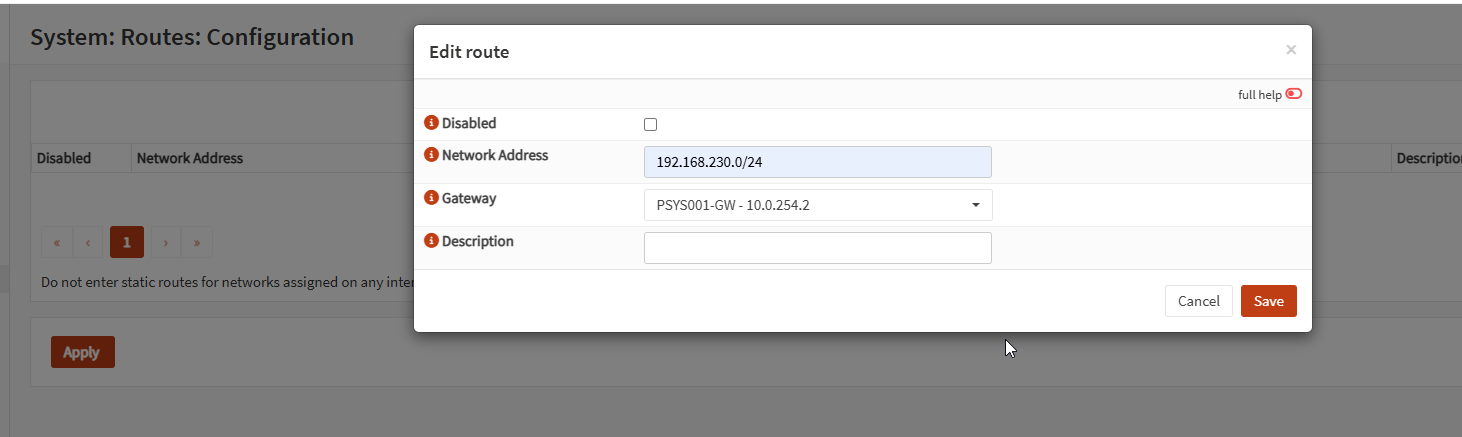
7) Create the static route to the UniFi LAN
Add a route:
- Destination:
192.168.230.0/24 - Gateway:
10.0.254.2
Do the same for additional UniFi VLANs if you have them.
UniFi: VPN client + routing + firewall
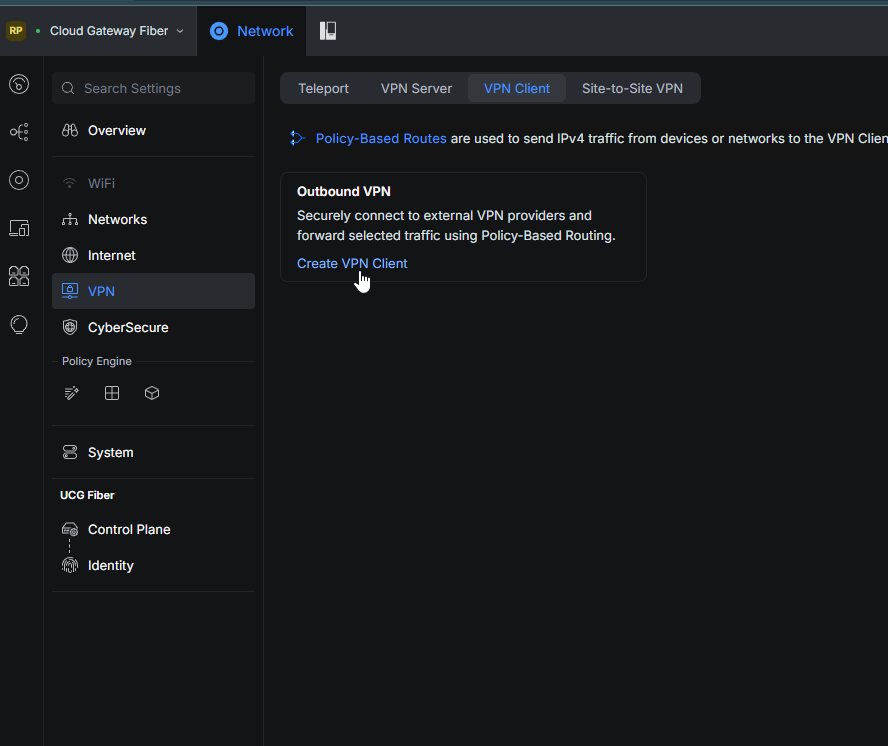
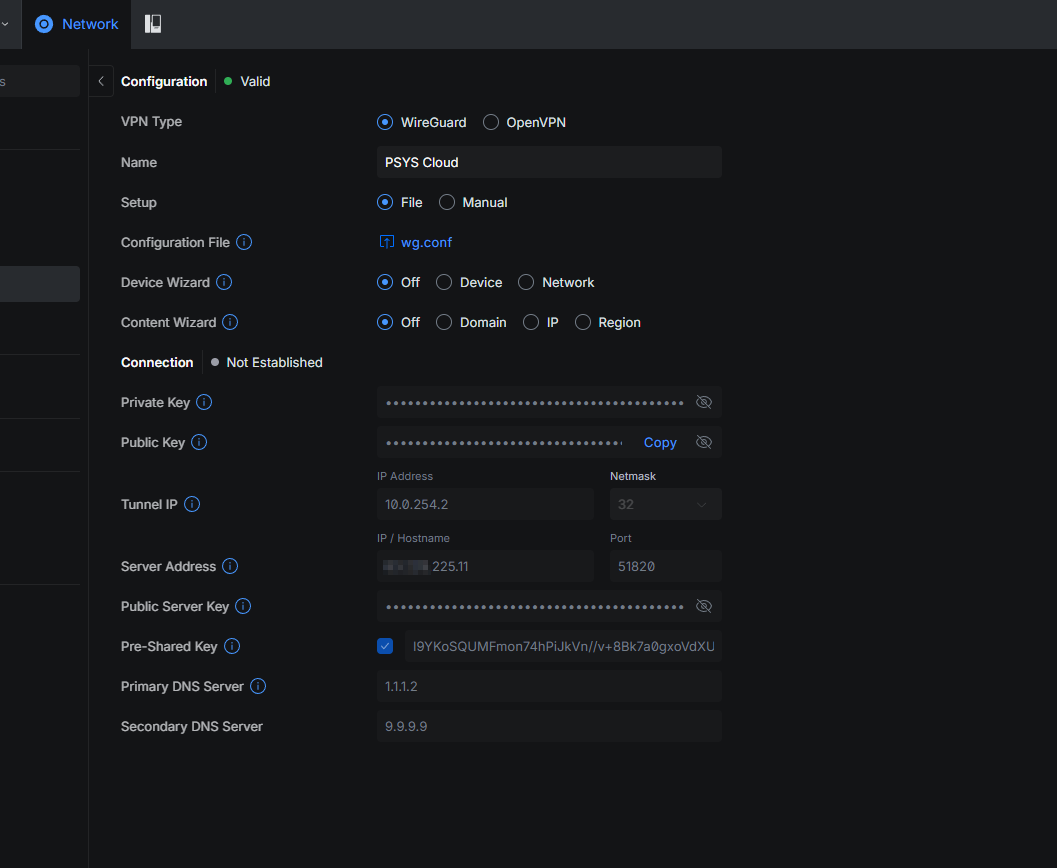
8) Add a WireGuard VPN client
On UniFi, create a WireGuard VPN client and import your .conf.
9) Route cloud traffic into the tunnel
Create a traffic route / static route so:
- destination
10.0.0.0/24goes via the WireGuard client
If you have multiple cloud VLANs, add one route per subnet.
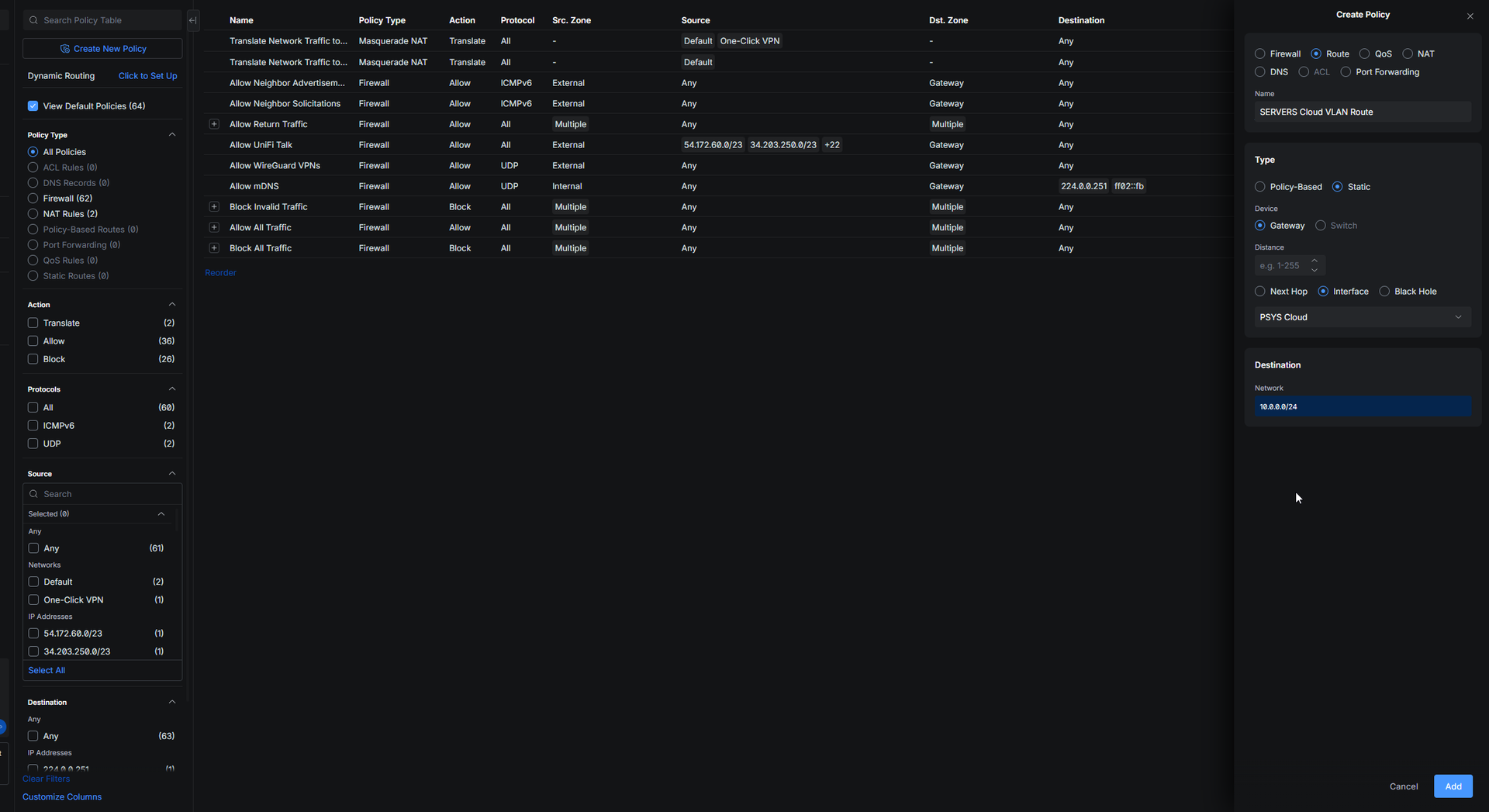
10) Allow cloud → local in UniFi firewall
If you want the cloud side to initiate connections to the local LAN, you must allow it in UniFi’s firewall rules.
At minimum, allow traffic coming from the tunnel / cloud subnet to the local subnet(s) you want reachable.
This is where the trick part is.
Basically the VPN is considered in the “External” zone in the firewall.
So you need at first to allow the VPN to go to the Gateway so you can access the gateway from the OPNSense cloud to the Unifi local site.
To do this you declare that the cloud “VLAN” can have access to the gateway at first.
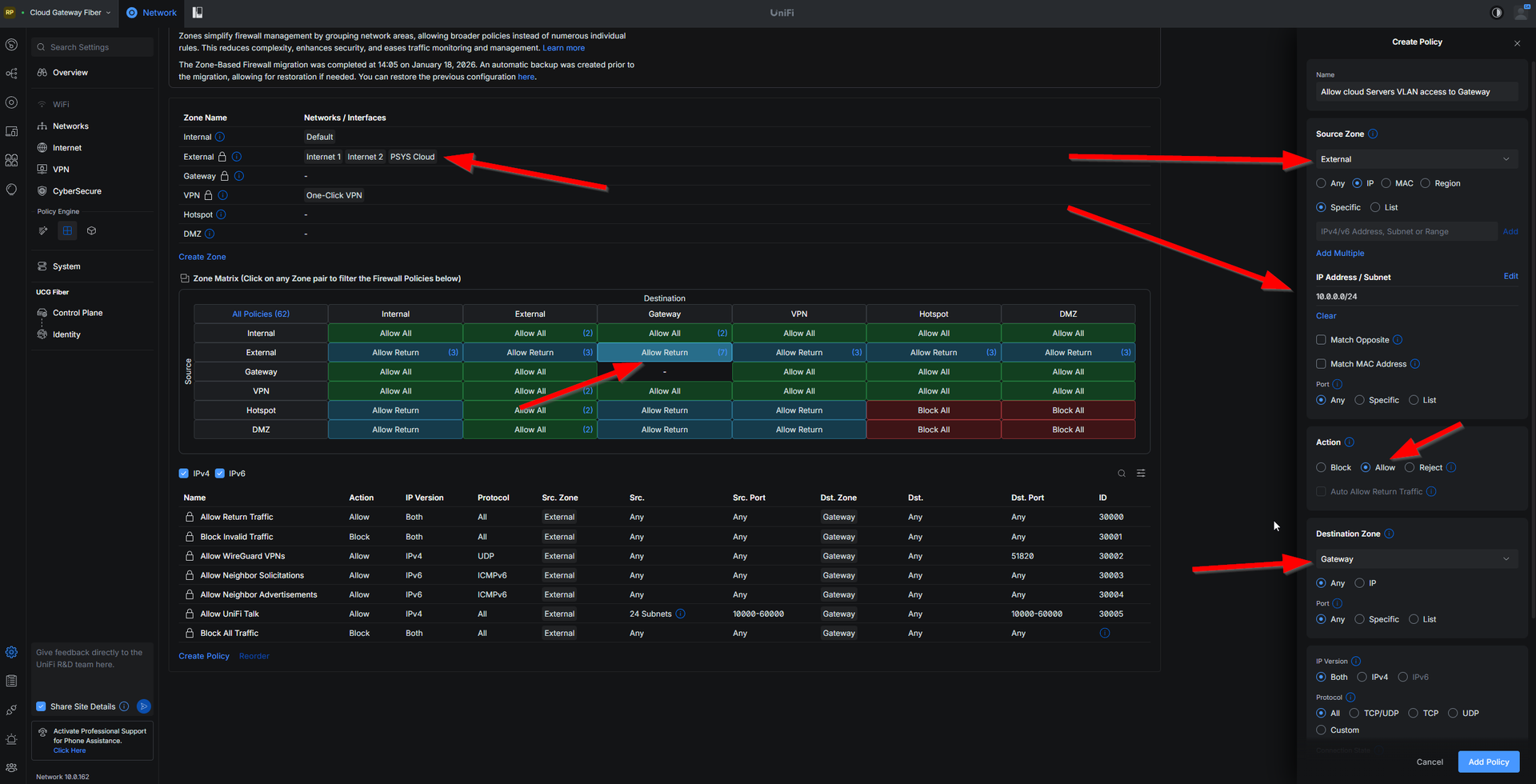
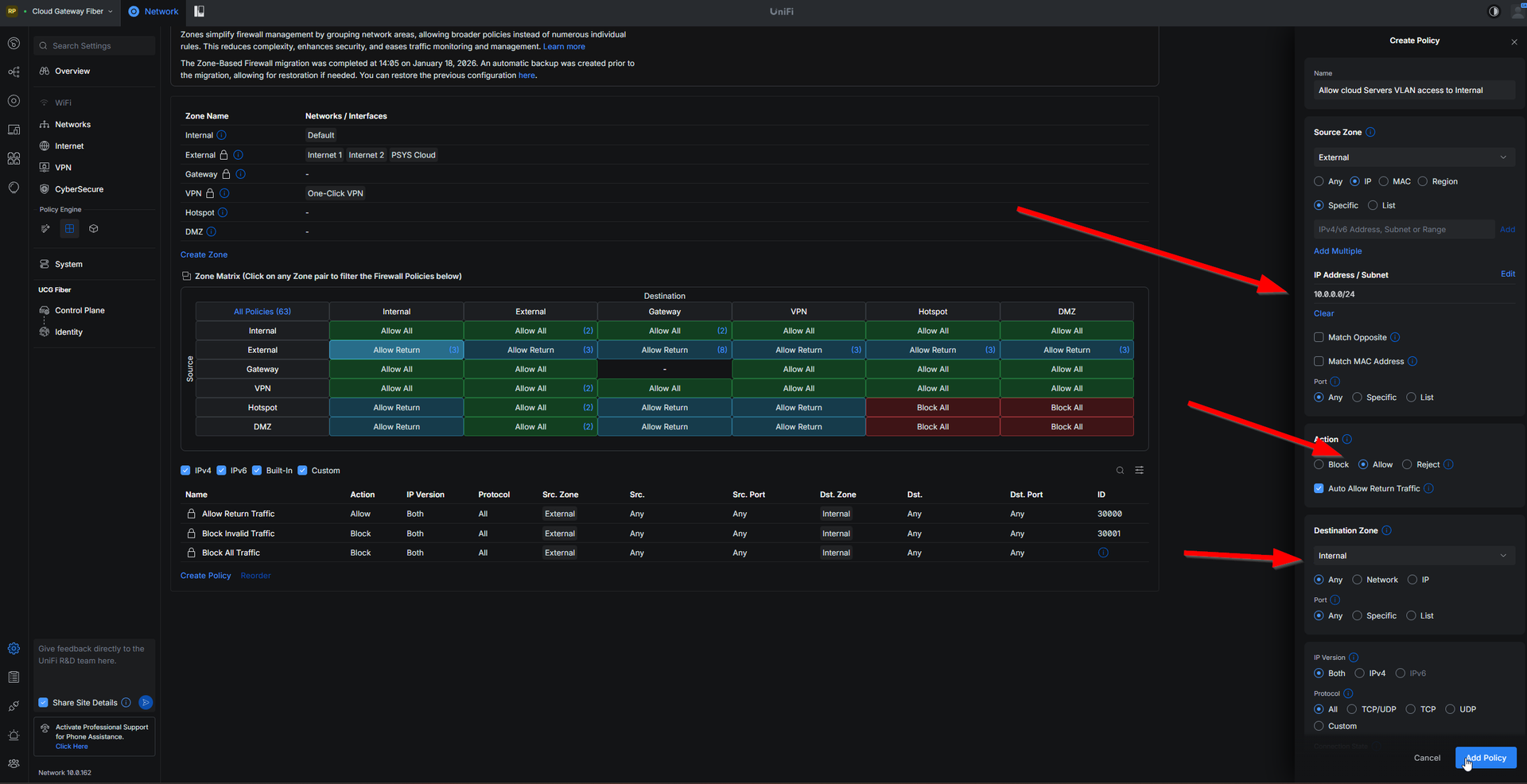
And then you do your true firewalling between each zones.
For exemple allow my OPNSense Cloud VLAN to access my internal zone with my home network.
Quick sanity checks
- WireGuard handshake is recent (both sides)
- From local LAN: can ping something in
10.0.0.0/24 - From cloud side: can ping something in
192.168.230.0/24
If UniFi → cloud works but cloud → UniFi doesn’t:
- check OPNsense peer AllowedIPs includes
192.168.230.0/24 - check the static route on OPNsense exists and points to
10.0.254.2 - check UniFi firewall allows inbound from tunnel/cloud (mainly the gateway part)
Closing notes
It’s quite hard to get that working for a “simple” site to site VPN so I hope this makes it “easier”.
Note at the top that I said it works really good on my Gateway Ultra, but here I am using a Cloud Gateway Fiber, it’s the same for any gateway, it’s just that I used this one for my lab works.